Network Map — draw your network and launch scans from the topology
Interactive map of your infrastructure: devices, network interfaces and links. Launch multiscans and scheduled scans on the selected targets straight from the diagram.
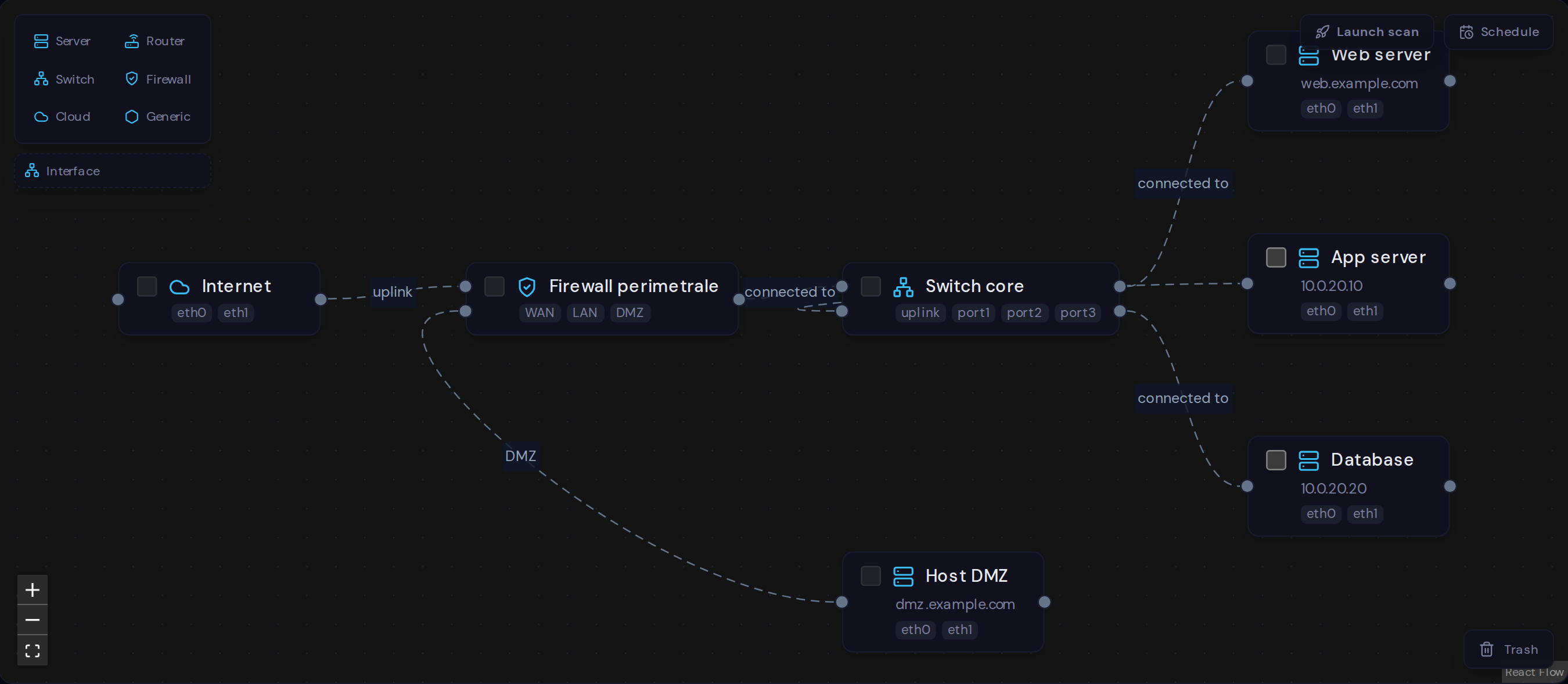
Network Map is a visual launcher on top of the SecureScan engine. You draw the nodes (server, firewall, switch, router, cloud), add each device's network interfaces and connect cables port-to-port. Each node shows the ownership status of its targets, the last scan's severity and the history. No duplicated scan logic: the map orchestrates, the engine runs.
What you can do
Draw the topology
Drag devices onto the canvas — server, firewall, switch, router, cloud — with dedicated icons and saved positions.
Unlimited network interfaces
Every node starts with 2 interfaces, but you can add as many as you want: a firewall with WAN/LAN/DMZ, a switch with N ports. Just drag the interface onto the node.
Port-to-port cabling
Connect nodes to a specific interface on each end, just like in real life. The relationship (connected to, protected by, routes to, hosts) is typed.
Launch scans from the map
Select targets on the nodes and launch a multiscan with a credit quote. Validation, billing and engine stay exactly as they are.
Scheduled scans
Schedule recurring scans on the map's targets. At runtime, removed or unverified targets are skipped without failing the schedule.
Ownership, severity and history
On each node: target ownership badges, the last scan's severity, a sparkline of the last 8 scans and per-node history with deltas between scans.
How it works
- 1
Create a map and draw your devices with drag & drop from the palette.
- 2
Add network interfaces to each node and wire the cables to the ports.
- 3
Attach targets (IP, hostname, URL) to the nodes and verify ownership.
- 4
Select targets and launch a multiscan or schedule recurring scans.
Map your network, then scan it
Turn your topology into a penetration-testing launcher. Sign up and draw your first map.
Start for free